⚠️ Before you continue

Photosensitive seizure warning. This site and the Light Sound Colors app display flashing lights, moving patterns, and rapid color changes. A small percentage of people may experience seizures or blackouts when exposed to flashing lights or patterns, even if they have never had a seizure before. If you or anyone in your family has epilepsy, a seizure disorder, or photosensitivity, consult a doctor before playing. If you have any medical condition of any kind, or any doubt about whether this app is right for you, ask your doctor first. Stop and seek medical attention immediately if you experience dizziness, altered vision, eye or muscle twitching, loss of awareness, disorientation, involuntary movement, convulsions, or nausea. Play in a well-lit room, sit back from the screen, and take breaks. Children should play only with adult supervision. Hearing: keep the volume moderate, especially with headphones. Not medical. Light Sound Colors is a recreational creative instrument. It is not a medical device, does not diagnose, treat, or improve any condition, provides no health benefit, and must never be used in place of professional medical care or advice.
Light Sound Colors is provided "as is." You use it entirely at your own risk, and to the maximum extent permitted by law we accept no responsibility or liability for any use of it. By continuing you confirm you have read and understood this notice.

Free · no account · plays in your browser

Make music any way you can move.

Play by touch, by switch, or 📡 Wireless Play: hands, head, or eyes, with nothing but an ordinary webcam.

  • Free play needs no account
  • Camera processing stays on your device
  • Accessible Play is designed without flashing effects
  • A recreational instrument: not a medical device
This background is the engine idea in miniature. Sweep to stir the light, tap for sparks; with 🔊 Sound on, each tap also plays a soft note synthesized on your device. This interaction stays on your device.

What is inside each one.

Same instrument heart, two ways in. You can switch any time.

The full instrument

Creative Studio

30 instrument voices, a 24-pad Beats deck with a looper, a 3-pad sampler and Beat School lessons, 15 touch brushes, kaleidoscope mirror, camera motion play, hands-free eye control, and 47 visuals. In Listen mode they dance to any music around you.

Enter Creative Studio Includes fast-moving and flashing visuals. Accessible Play is the calmer option, designed without flashing effects. Safety info
Calm and simple

Accessible Play

A calmer instrument designed without flashing effects, with big pads and three play modes. Plays by touch, switch, head movement, eye movement, or any motion the camera can see.

Enter Accessible Play Helpers: the setup guide covers dwell timing, switches, and play modes.

See the real instrument in action.

Real footage and real screenshots of Light Sound Colors running in a browser. No mockups.

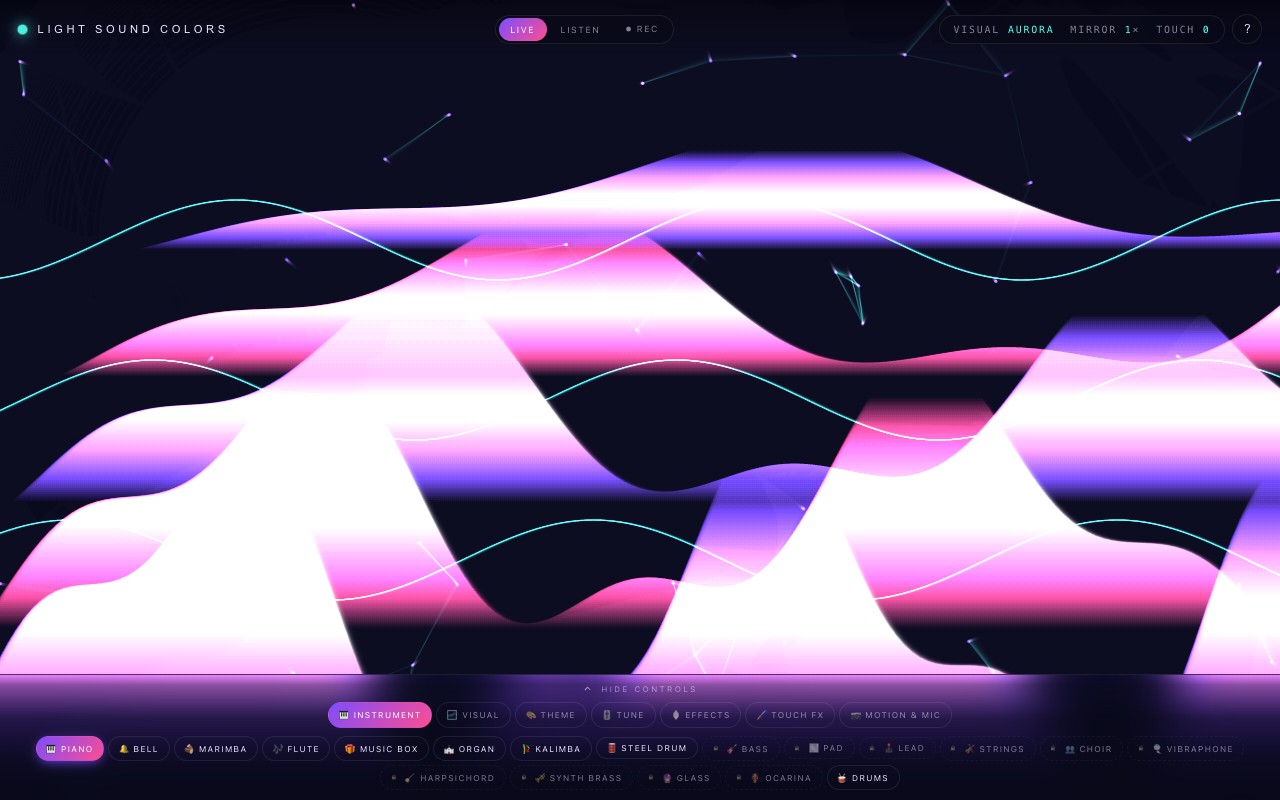
Eleven seconds of the real instrument: Ribbon brush strokes on the Aurora visual, then Galaxy. Recorded from the app itself, muted.
The Creative Studio in Live Play: bright ribbons of light painted across a dark canvas by touch strokes, with the instrument control chips along the bottom.
Creative Studio, Live Play. Touch anywhere and it sings and paints.
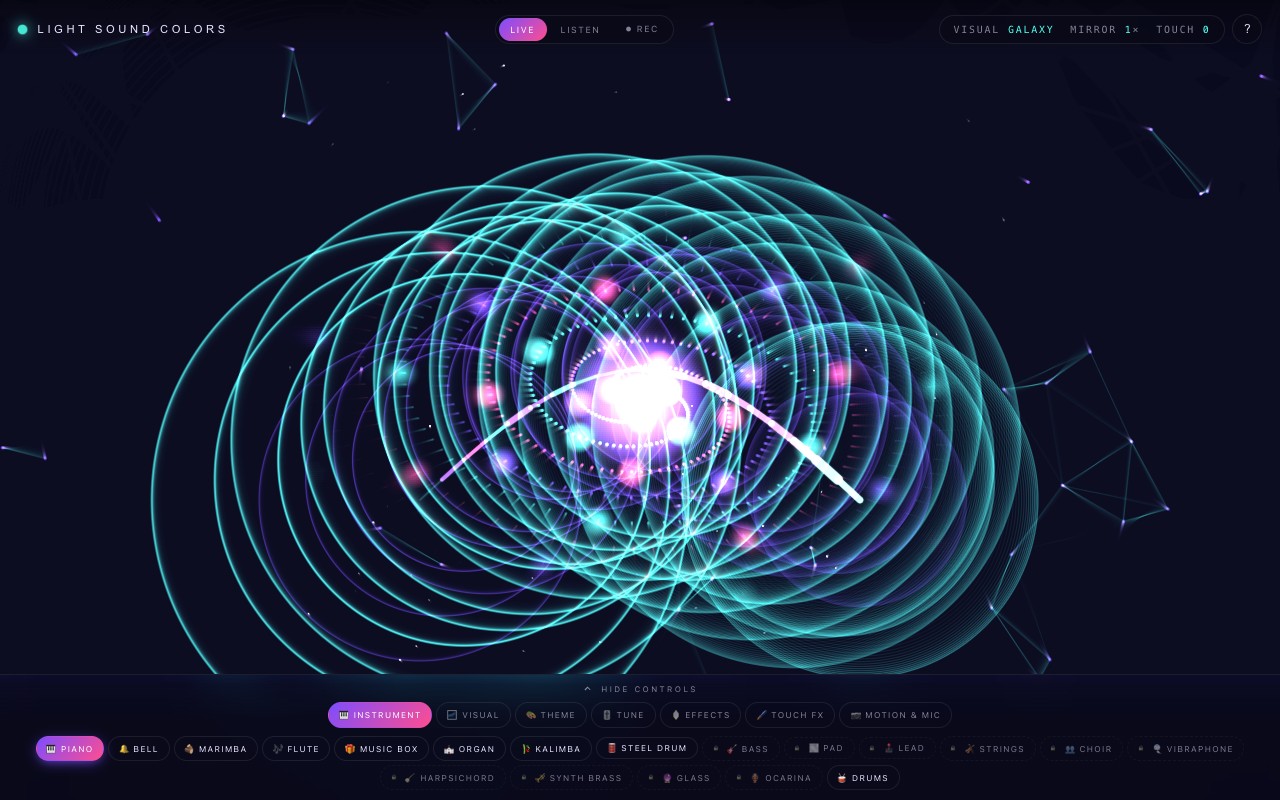
The Creative Studio showing one of its generative visuals filling the screen in purple and pink light.
One of 47 visuals. In Listen mode they dance to any music in the room.
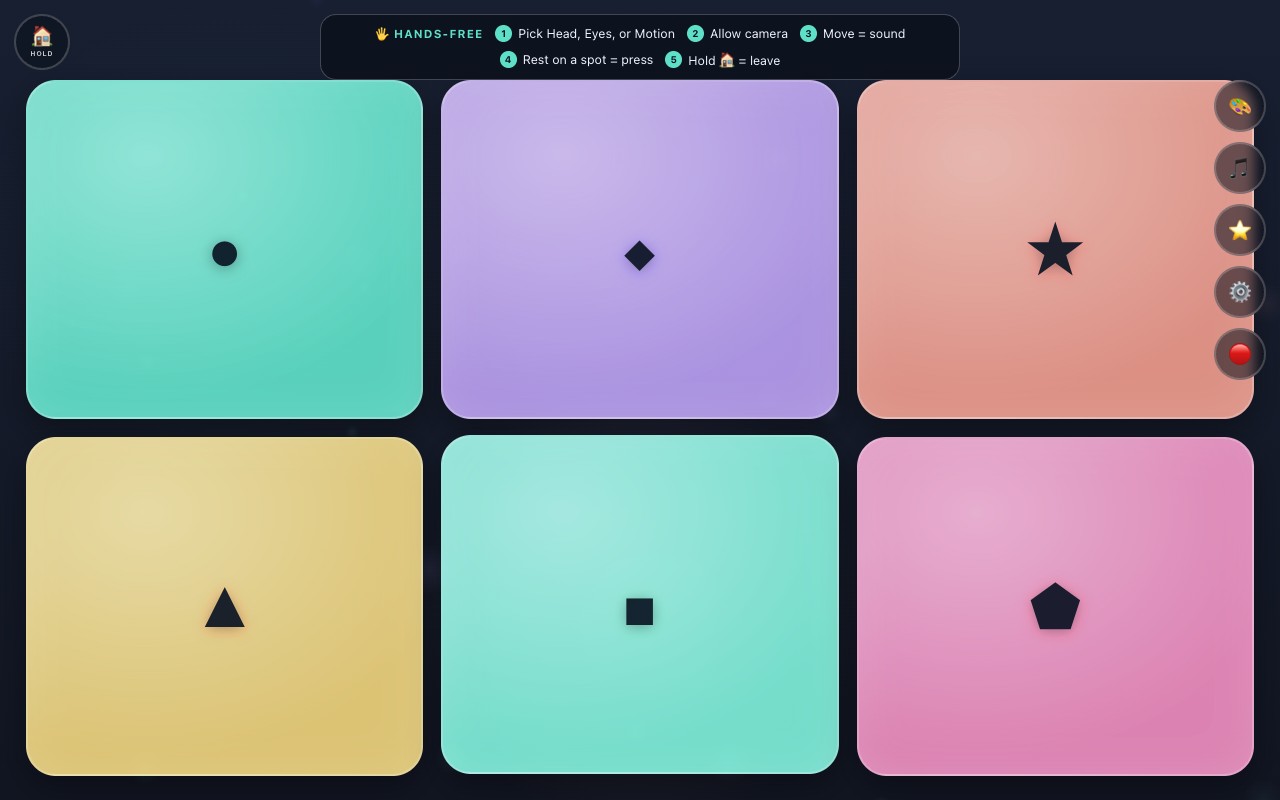
The Accessible Play board: a calm dark screen with large glowing pads sized for switch, touch, head, or eye play.
Accessible Play: big pads, designed without flashing effects, no way to lose.

Built for every way people move.

Pick the input that fits the player. Everything below ships in the free version.

  • 👆 Touch
  • 🖱 Mouse
  • 🔘 Switch
  • 👤 Head
  • 👁 Eyes
  • 🌊 Any motion
  • 🎤 Sound

Eye players stay in control: adjustable dwell timing from half a second to 1.5 seconds, blink to pause, eyebrow raise to recenter, and drift tolerance. The camera pointer works with an ordinary webcam, and every frame is processed on your device.

Made for real rooms.

Living rooms, classrooms, sensory rooms, and stages.

🏠 Families

One screen, everyone plays. Tap and it sings, wave and it paints, or put music on and watch the room light up. No account required for free play, no ads, nothing to install.

🏫 Teachers and programs

Runs in the browser on managed school devices. Open the page and the activity is ready: cause-and-effect play, music-making, and target play with three play modes. Schools & Districts answers privacy, procurement, and setup questions; the educators page has the classroom activity.

🎵 Musicians and creators

30 instrument voices, a 24-pad Beats deck (two kits, looper, 3-pad sampler, Beat School), 15 touch brushes, kaleidoscope mirror up to 6x, mic-reactive visuals, and one-tap PNG export of anything you paint.

Free forever. Pro if you love it.

The free version is the real instrument, not a demo. Pro adds variety on top, once, with no subscription.

Free

$0 · no time limits

  • 20 instrument voices, the full Beats deck with looper and sampler, and Beat School
  • 31 visuals
  • Camera motion play and eye control
  • Accessible Play and the helper guide
  • Mic-reactive visuals and PNG art export
Play free

✦ Pro

$20 · one time · yours forever

  • All 30 instrument voices: 10 Pro voices from Bass and Strings to Glass and Ocarina (the Beats deck is free for everyone)
  • All 46 visual experiences: 30 free visuals + 12 Pro visualizers + 4 Journey stories
  • 4 Journey stories: Microverse, Star Trip, Shapeshift, Coming Together
  • 12 extra color themes
  • One key unlocks up to 5 devices you own
Get Pro · $20 one time Already bought? Enter your key

Try the free version on your device first, so you know it plays the way you want.

Questions, answered straight.

How many devices can my Pro key unlock?

Your Pro key can unlock up to 5 devices you own or control. Past that limit the key is refused; contact us for a legitimate exception.

How do I restore Pro?

Enter the unlock key from your Gumroad purchase email on any device you own: tap Get Pro, then "Already bought? Enter your code." Your Gumroad receipt remains your purchase record.

What is the refund policy?

Pro is a digital unlock delivered instantly. If it is not right for you, email omer@halalhelper.com within 30 days of your purchase and we will refund it. This is on top of any refund right the law gives you that cannot be waived. Please try the free version on your device first.

Can schools and nonprofits use it for free?

Yes. Free classroom, nonprofit, and recreation-program use is permitted on devices you control. Redistribution, re-hosting, and resale are not permitted. The details live in the terms.

What do I need to play?

A current browser such as Chrome, Edge, Firefox, or Safari, on a phone, tablet, or computer. Motion and eye play need a device with a camera. Free play needs no account, and no installation is required; Pro is unlocked with the key from your purchase email; there are no accounts and no sign-in anywhere.

What happens to my camera and microphone data?

Camera and microphone input are processed on your device and are not uploaded by the app. Recording only happens when you ask for it, in two places: press Rec and the canvas and app sound, plus microphone audio if Mic is on, save to your Downloads; tap a REC pad in Beats and a short microphone clip is kept in this browser's storage until you erase it. Camera video is never included. There are no accounts, ads, analytics, or behavioral trackers. The privacy policy is a two-minute read.

Your camera footage stays yours.

Once loaded, play is processed locally on your device. No camera video, frames, or images are uploaded by the instrument, and the camera feed is never written into a recording. If you press Rec, a clip of the on-screen visuals and the sound saves to your own device. Purchasing is separate from ordinary play: Gumroad processes the payment and emails your unlock key. No account exists, and no camera or microphone content is ever involved.

Read the privacy policy
Photosensitivity notice. The Creative Studio shows flashing lights, moving patterns, and rapid color changes that can trigger seizures in a small number of people. If you or anyone in your family has epilepsy or photosensitivity, read the full health and safety notice before playing, stop right away if you feel unwell, and keep volume moderate. Children should play with adult supervision. Accessible Play is designed without flashing effects, and the Studio's Calm mode keeps the brightest flashes off.